
Enhancing Your Reviews

Now you have all the information you need to create great reviews. Here are some suggestions for how you can make them even better.
Adding Images
As we’ve already seen, a featured image is automatically added to your review when you publish it. But there’s no reason to limit yourself to one picture. Adding additional images to your review will help to keep it visually interesting.
There are several ways to source images. For digital products, you can take screenshots using a free app such as Awesome Screenshot. This is great for illustrating reviews of games or other highly visual products.
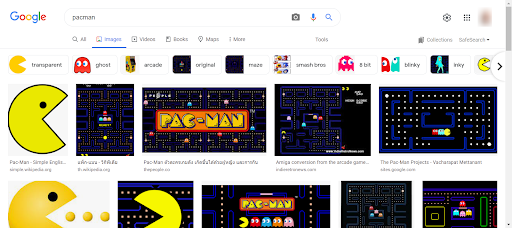
You can also find pictures to use in Google Images. In this case, though, you do need to check that you have the right permission.
For physical products, you can take photos with your phone or personal camera and upload these to your computer.
Once you have your image ready, log into the platform and open your review. Now it’s time to add your image.
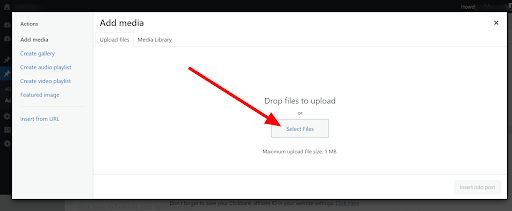
To do this, position the cursor where you want the image to appear. Then click the ‘Add Media’ button.

Choose ‘Select Files’ and upload the image from your computer.
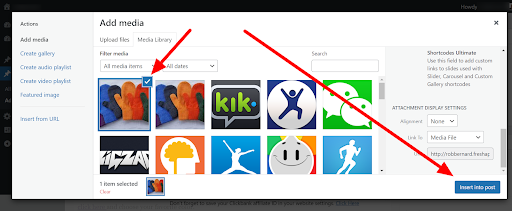
Click on the image to select it, then choose ‘Insert into Post.’
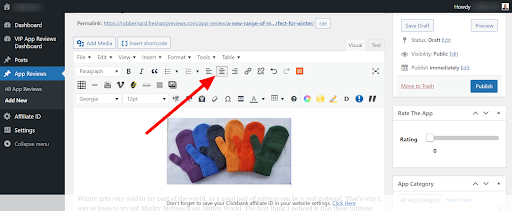
You can reposition the image using the alignment buttons. For example, click the ‘Center’ control to align the image in the center of the page.
Tweaking Your Reviews
We’ve already seen how to take your review from good to great. Now let’s make it fantastic. A day or two after publishing your review, take a second look at it. You may find that a few simple tweaks improve it considerably.
Here are some possibilities to consider:
Use these tips to tighten your reviews and give them more impact. It only takes a minute or two, yet you will see the difference in the size of your paychecks!
Copyright 2021 - WriteAppReviews - All Rights Reserved